
With the release of Niagara 4.15, we have identified that older browsers do not support the replaceChildren method, as documented here:
https://developer.mozilla.org/en-US/docs/Web/API/Document/replaceChildren
You can find the supported browser versions for web viewing in the Niagara documentation:
https://docs.niagara-community.com/bundle/docN4Install/page/SupportedWebBrowsers-N4Install.html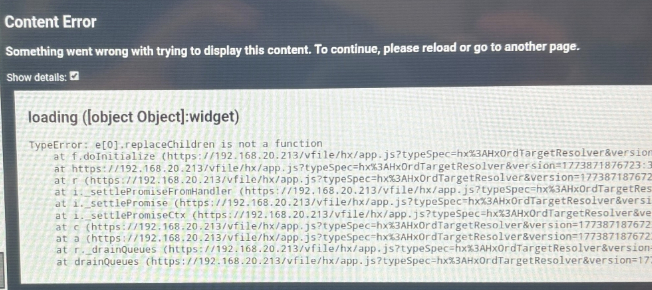
These Chromium versions will be rolled out in new Touchscreen variants.
To work around this issue, you have two options:
- Downgrade your Niagara version to below 4.15, or
- Update Chrome via the Google Play Store.
To update Chrome on the touchscreen:
- Exit the LinkTouch application.
- Open System Settings.
- Type “home”, then go to Default home applications and select Quickstep.
- Power cycle the touchscreen.
- Go to Settings > Apps & notifications > Play Store.
- Log in to the Play Store.
- Either:
- Go to Updates or Apps,
- Directly search for and install the latest version of Google Chrome via the Play Store.